Camera Blocker: Anti Spy Guard
- 4.4
- Rating
- 1.00M
- Installs
- Free
- Price

 Analysis by App-foxy
I tested Camera Blocker: Anti Spy Guard as a focused privacy tool rather than a general security suite. Its purpose is simple: stop the phone’s camera from being used quietly by spyware or by an app you do not fully trust. That narrow goal is also the reason to look at it realistically. This is not an all-purpose antivirus, a private gallery, or a replacement for careful app permissions. It is a small defensive layer for people who want a direct way to control camera access.
The app belongs to the Libraries & Demo section, although its everyday use feels much more practical than that label suggests. BytePioneers s. r. o. has kept the concept centered on camera protection, and the current version is 2.17. It is free to install, suitable for Everyone, and works on devices running Android 6.0 or later. Those details make it accessible to many older phones as well as newer ones, but the experience still depends on how well the app fits your particular Android setup.
How Camera Blocker fits into real phone privacy
The first thing I noticed is that this app is built around prevention, not investigation. It is not trying to tell me which application is spying, scan every file on the phone, or explain every privacy risk in Android. Instead, it gives camera access a clear security boundary. When I want the camera unavailable, the app’s role is to block it rather than asking me to remember which individual applications should be trusted.
You May Also Like

 Blood Strike: 2.5 Anniversary
Blood Strike’s Loadouts Turn Every Drop Into a Tactical Gamble
A close look at Blood Strike’s custom loadouts: how fast access to signature weapons reshapes its battle royale rhythm, rewards preparation, and narrows the gap between fights.

 Pandora - Music & Podcasts
Pandora’s Music Is Easy to Start, but Harder to Recover
Pandora’s strength is its low-effort path from a seed to a station. Its weak spot is how much confidence it asks you to place in connection, setup, and quiet recovery.

 8 Ball Pool
 Is Built on Rivalries, Rematches, and Routine
A close look at the rivalries, rematches, shared routines, and unanswered safety questions that turn a quick pool match into a persistent mobile community.

 Samsung Music
’s Quiet Strength Is Playing What You Already Own
Its reach comes less from spectacle than from dependable access to a personal library. That simplicity is both the app’s strongest retention engine and its ceiling.

 AccuWeather: Weather Radar
AccuWeather Review: A Quick, Clear Forecast for Everyday Decisions
For everyday plans, the best forecast is the one you can understand quickly. AccuWeather makes rain timing, radar, and local conditions easy to act on, with a few trade-offs.

 Hill Climb Racing
Why Hill Climb Racing Still Turns Crashes Into One More Run
A tiny car, a bumpy hill and one more upgrade: Hill Climb Racing keeps resurfacing because its simple chaos makes every near-miss feel personal.
More From Our News Desk
View All News


That approach is useful because camera permissions can become difficult to manage over time. A phone may accumulate social apps, video tools, document scanners, shopping applications, and utilities that have all requested access. Reviewing each permission is sensible, but it does not always provide the same immediate reassurance as having a dedicated camera-blocking control. If my concern is specifically an unwanted photograph or covert camera activation, a focused tool can be easier to understand than a broad security dashboard.
There is an important distinction, though. Camera Blocker is not a magic shield against every form of surveillance. It addresses the camera, not the microphone, location services, messages, screen contents, or unsafe links. I would treat it as one part of a privacy routine. Keeping Android updated, installing apps carefully, checking permissions, and using a screen lock remain necessary habits. The app is most convincing when used for its actual job instead of being treated as complete phone protection.
Its popularity gives some useful context without changing what it does. The app has passed one million installs, carries an average rating of 4.5 from around eighteen thousand ratings, and has about one thousand four hundred written reviews. That suggests a substantial audience has found the focused idea worthwhile. I still would not use those figures as proof that it will behave identically on every phone, because camera handling varies between Android versions and manufacturers.
A practical routine for everyday use
A realistic scenario is a phone used in a shared office, classroom, workshop, or home. I might leave the device on a desk while moving around, lend it to someone briefly, or install an unfamiliar utility for a one-time task. In that situation, I can block the camera before putting the phone down and restore access only when I actually need to take a picture. The extra step is small, but it changes the default from “camera available unless an app behaves badly” to “camera unavailable until I choose otherwise.”
I also see value for people who carry a work phone and want a simple boundary during meetings. Rather than relying on memory to close every camera-related application, a dedicated blocker can become part of the meeting-start routine. The same idea works for parents who want a straightforward camera control on a shared device, provided they understand that a blocker does not replace supervision or broader account security.
For travelers, the benefit is less about dramatic spyware scenarios and more about reducing uncertainty when using public charging areas, borrowed networks, or unfamiliar apps. Blocking the camera while it is not needed is a low-effort precaution. It does not make a public network safe, but it can reduce one specific avenue of unwanted access.
What the free installation means for value
The app is free to install, so trying the basic experience does not require an upfront purchase. That matters for a tool with a narrow purpose: I can see whether its control style suits my phone before deciding whether it deserves a permanent place in my privacy routine. The free entry point is especially reasonable for someone who wants camera protection but does not need a large security package.
There are in-app purchases listed from $2.99 to $89.99 per item. Because those purchases cover a very wide range, I would not assume that every useful function is included in the free experience, nor would I treat the highest listed amount as a normal cost for everyone. The sensible approach is to use the free version first, identify the exact feature or upgrade being offered, and compare that benefit with the alternatives already built into Android. The key value question is not whether the app is free to start, but whether a paid option adds something you will use repeatedly.
For occasional camera control, paying may be difficult to justify if Android’s own permission controls already meet your needs. For someone who wants a dedicated workflow and uses it every day, a paid upgrade could be more attractive, but the decision should be based on the specific purchase screen and the functions it describes rather than on the existence of a broad price range. I would avoid paying simply because the app feels reassuring; privacy tools should earn their place through practical convenience and dependable behavior.
Small workflow improvements that make it more useful
My first tip is to make camera blocking part of a repeatable situation instead of leaving it as an occasional emergency button. For example, activate it whenever the phone is stored in a bag, handed to another person, or placed in a meeting room. A consistent trigger makes the protection easier to remember and helps reveal whether the app is genuinely convenient enough for daily use.
My second tip is to test the transition before relying on it. Block the camera, open the camera application, and then restore access. This simple check tells me how the phone communicates the blocked state and whether I can recover quickly when I need to take a photo. It is better to discover that workflow at home than while trying to capture an important document or moment.
A third useful habit is to separate camera privacy from camera availability. If I need to scan receipts, use video calls, or take work photos throughout the day, repeatedly switching protection on and off may become irritating. In that case, the app’s value depends on whether the security benefit outweighs the interruptions. I would use it more aggressively on a device where the camera is rarely needed, and more selectively on a phone used for frequent photography.
Finally, I would not use a camera blocker as evidence that an app is trustworthy. A suspicious application may still access other sensitive information or misuse permissions unrelated to the camera. The blocker can reduce one risk while leaving others untouched. That limitation is not a flaw in a focused product, but it is a reason to combine it with Android’s permission manager and sensible installation choices.
Where the trade-offs become noticeable
The main trade-off is convenience. A camera that is always protected is also a camera that may require an extra action when I suddenly need it. That friction is acceptable for a rarely used camera, but it can feel excessive for someone who takes photos constantly. The app makes the most sense when control matters more than instant access.
Another trade-off is scope. A full mobile security suite may offer wider monitoring, malware detection, account checks, or privacy reports, depending on the product. Android’s built-in controls may also be enough for users who prefer fewer installed tools and are comfortable reviewing individual permissions. Camera Blocker is easier to understand than a large suite, but it cannot provide the broader coverage of one.
There is also a trust question that applies to any security utility. To protect the camera, the app must operate within Android’s rules and interact with the phone’s security controls in a way the system allows. I would therefore pay attention to how clearly the app explains its status and what happens after a restart, a system update, or a change in device settings. If the protection is not obvious, a privacy tool can create false confidence. A clear, testable state is more valuable than a long list of claims.
Compatibility deserves practical attention as well. Android 6.0 or later is a broad minimum, but that does not guarantee identical behavior across every manufacturer interface. Phones can handle permissions, accessibility-style controls, background activity, and camera access differently. Before depending on the app in a sensitive setting, I would perform the block-and-unblock test on the exact device I plan to use. That is a more useful check than assuming the minimum operating-system requirement tells the whole story.
Who is likely to get the most from it?
I think the strongest audience is people who want a single-purpose privacy control and do not want to navigate a complicated security suite. It is also a good fit for users with an older compatible Android phone, because the minimum requirement is not limited to recent releases. Someone who rarely uses the camera may find the extra protection especially easy to live with.
The app can also suit privacy-conscious users who already follow good security practices but want a physical-sounding digital equivalent to closing a laptop camera cover. It does not replace a hardware shutter, and I would not describe it as identical to one, but the mindset is similar: prevent access when the device is not supposed to be observing.
I would be more cautious about recommending it to photographers, journalists who depend on immediate camera access, or anyone who frequently joins video calls. The repeated switching may become a nuisance, and a broader permission strategy might be more practical. Likewise, users looking for antivirus protection, microphone blocking, tracker analysis, or a complete privacy report should choose a tool designed for those purposes instead of expecting this app to expand beyond its camera focus.
Families should also consider who controls the phone. A blocker may help establish a simple rule on a shared device, but a determined user with enough access could change settings or remove tools. It should be part of an agreed device-management approach, not the only safeguard. That distinction is important because a privacy control is strongest when the person using the phone understands why it is enabled.
My buying decision after testing the idea
For me, the free installation makes Camera Blocker worth trying when the concern is specifically unwanted camera access. Its focused design is easier to reason about than a security product that tries to cover everything, and its broad Android compatibility increases the chance that it can serve older devices. The app’s rating and install history reinforce that it is not an obscure experiment, although they do not remove the need to test it on a personal phone.
I would keep it installed if the camera-blocking routine felt reliable and did not interfere with the way I use the device. I would consider an in-app purchase only after identifying a clearly useful paid function and comparing its listed cost with free Android controls or a broader security alternative. The purchase range begins at $2.99 and extends to $89.99 per item, so checking the exact upgrade before spending is essential. There is no good reason to buy the most expensive option merely for peace of mind.
My final recommendation is therefore conditional but positive: try it if camera privacy is your specific concern, especially on a shared or lightly used phone. Skip it if you want complete mobile security, dislike any extra camera step, or already feel comfortable managing camera permissions directly through Android. Camera Blocker succeeds when you use it as a precise camera safety switch, not when you ask it to be an entire privacy system. That honest limitation is also its clearest strength: the app has one job, and the right user can find that job genuinely useful.
FAQs for Camera Blocker: Anti Spy Guard
01What is Camera Blocker: Anti Spy Guard and how does it work?
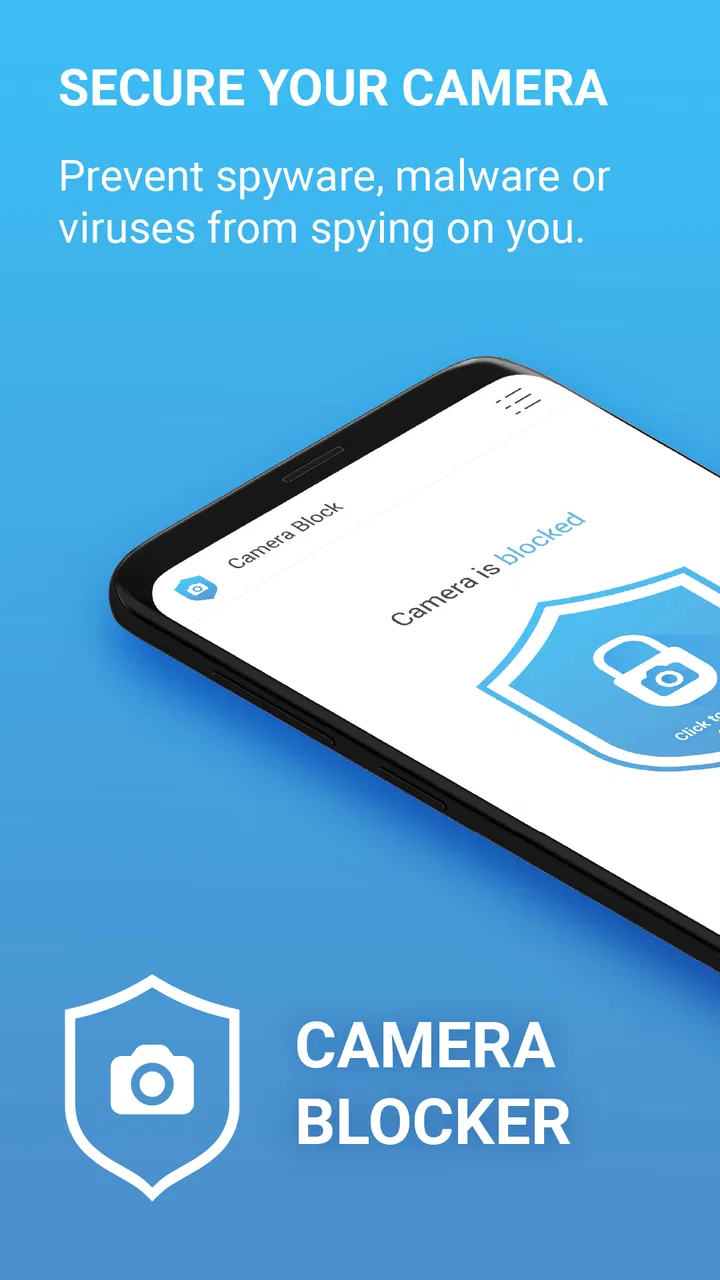
Camera Blocker: Anti Spy Guard is an app designed to protect your device from unauthorized access to your camera. It works by blocking any app or malware that attempts to use your camera without your permission. This ensures your privacy by preventing potential spying through your device's camera.
02Is Camera Blocker: Anti Spy Guard easy to use?
Yes, Camera Blocker: Anti Spy Guard is user-friendly. The app features a simple interface that allows you to easily enable or disable camera protection with just a tap. It also provides notifications and logs to keep you informed about any attempts to access your camera, making it straightforward to manage.
03Does Camera Blocker: Anti Spy Guard affect the performance of my device?
Camera Blocker: Anti Spy Guard is designed to have minimal impact on device performance. It runs efficiently in the background, using minimal resources. While it actively monitors camera access, it should not noticeably affect your device's speed or battery life during regular use.
04Can Camera Blocker: Anti Spy Guard block all apps from accessing my camera?
Camera Blocker: Anti Spy Guard can block unauthorized apps from accessing your camera, but it allows you to whitelist trusted apps. This means you can still use apps like your default camera or video conferencing apps without disruption, while blocking unknown or suspicious apps from gaining access.
05Is Camera Blocker: Anti Spy Guard compatible with all Android and iOS devices?
Camera Blocker: Anti Spy Guard is compatible with most Android devices, but availability and functionality can vary depending on the device model and operating system version. For iOS devices, similar apps might have limited functionality due to Apple's restrictions on third-party access to system-level operations.
Pros
- Simple interface for quick navigation.
- Blocks all camera access securely.
- Low battery consumption.
- No in-app purchases or ads.
- Quick setup with one-touch activation.
Cons
- Lacks advanced customization options.
- No option for temporary unblocking.
- May conflict with other camera apps.
- Limited support for older devices.
- Requires constant updates for new threats.

Camera Blocker: Anti Spy Guard
Gallery